Dynamic Campaigns
Turn an ongoing content rule into a campaign that keeps itself up to date. Use filters for posts, accounts, brands, collaborators, and keywords to capture the right content automatically.
Dynamic Campaigns
Manually tagging posts works well when you know exactly what you're grouping, but for ongoing campaigns, Dynamic Campaigns automate the work entirely.
In the top right of Explore, click the Dynamic Campaign button. Then expand Dynamic Settings at the bottom of the panel to define its rules.
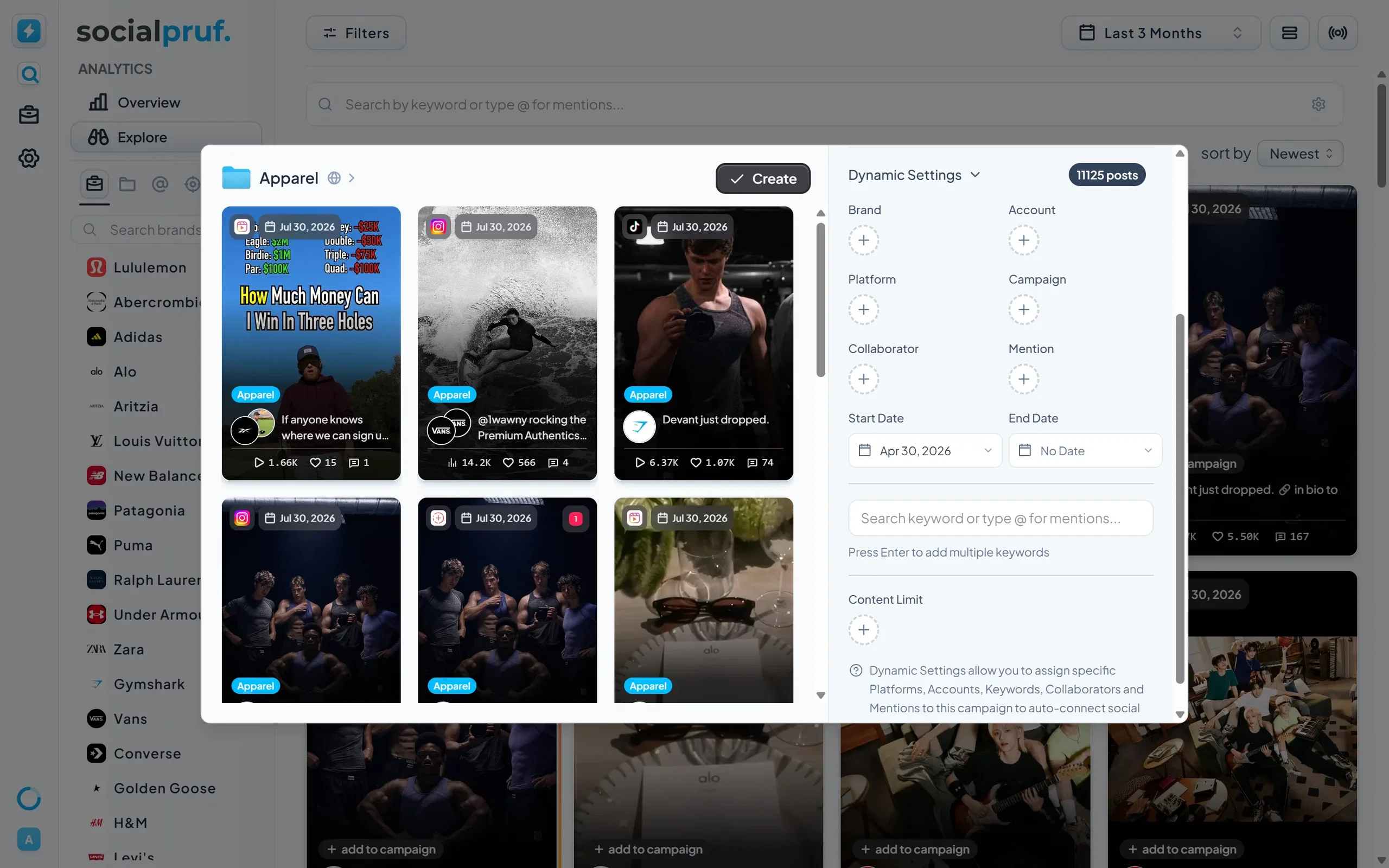
Rules you can set
A Dynamic Campaign automatically pulls in any post that matches your defined criteria, including:
- Start date and end date - the window the campaign covers.
- Collaborators - auto-include posts with specific collaborators tagged.
- Mentions - auto-include posts mentioning specific accounts.
- Campaigns - pull existing campaigns into a parent grouping.
- Platforms - restrict to specific channels.
- Accounts - narrow to specific social accounts.
- Brands - restrict to specific brand accounts.
- Keywords - use the same logic as the keyword search bar.
Once your rules are set, Socialpruf continuously adds new matching posts as they go live, with no manual tagging required.
When to use Dynamic Campaigns: Use them for predictable structures—branded hashtags, creator partnerships, recurring content series, or always-on initiatives. Use manual campaigns for one-off curation or finalized retrospective groupings.