NewGet @blackmagicnewsofficial's full report

instagram analytics
Similar Accounts:
instagram analytics
Similar Accounts:
followers
282K
impressions
5.00M
likes
190K
comments
3.63K
posts
81
engagement
3.60%
emv
$152K
Average per post
61.7K
Key Metrics
Impressions
monthly
Distributions
Content
1.51M
54.7K
537
4mo ago

blackmagicnewsofficial
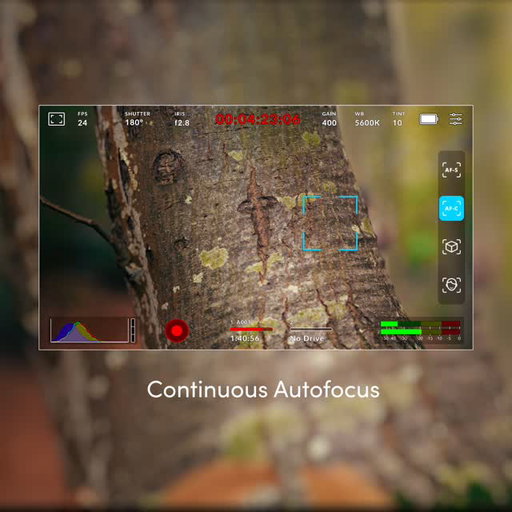
Today we announced Blackmagic Camera 10.2 update which adds support for phase detect autofocus to Blackmagic PYXIS 6K. This makes it easy to keep your subjects in focus, even as they move, with options added for continuous autofocus, object tracking or face tracking modes.
This update also adds support for Blackmagic Cloud stream routing with PYXIS 6K. This lets you route a live stream from the camera directly into your studio, or stream to multiple platforms at the same time using Blackmagic Cloud.
Blackmagic Camera 10.2 is available now as a free download from https://bmd.link/4ytL4y
#BlackmagicDesign #BlackmagicCameras #PYXIS6K #filmmaking
216K
8.63K
292
6mo ago

blackmagicnewsofficial
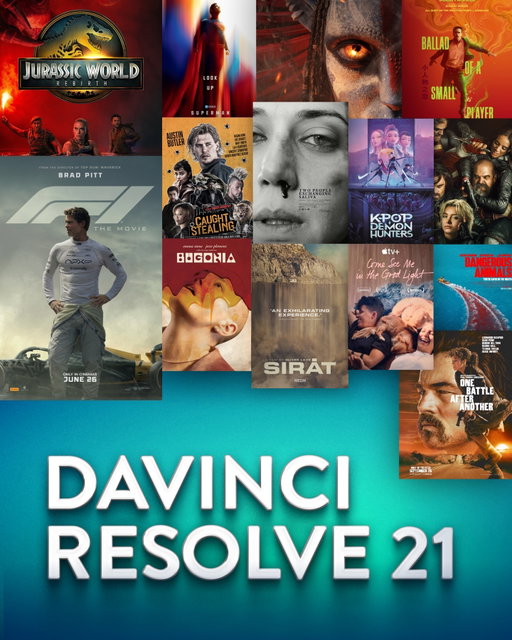
Blackmagic Design today announced DaVinci Resolve 21, a significant update introducing hundreds of features including new AI tools like IntelliSearch for fast content searching, CineFocus for focal point adjustment and tools for facial refinement. The Krokodove toolset adds over 70 new graphics to Fusion, Fairlight folders simplify audio track management, plus there are improvements to keyframing, MultiMaster trim passes, layer list node graphs and more.
Another major update in this release is the introduction of the new Photo page, which enables colorists and photographers to use Hollywood’s most advanced color tools for still photos. The Photo page lets you import and manage photographs, integrating with the color page for node based grading. You can use primary color correction, curves, qualifiers, power windows and node editor to adjust color in artistic ways across an entire project. Plus, you can use a DaVinci color panel to adjust multiple parameters at once.
DaVinci Resolve 21 will be demonstrated on the Blackmagic Design NAB 2026 booth #N2502 and is available now as a free download from www.blackmagicdesign.com/support
Learn more at http://bmd.link/b4H4hj
#BlackmagicDesign #DaVinciResolve #DaVinciResolve21 #postproduction

179K
7.16K
448
1mo ago
blackmagicnewsofficial
New lower prices for full frame 6K cameras!
Today we announced a reduction in the price of Blackmagic PYXIS 6K models and Blackmagic Cinema Camera 6K by over US$1,000. These lower prices have been made possible by securing better pricing on parts. This means full frame 6K digital film cameras are now more affordable for more customers.
The new prices, excluding duties, are listed below.
Blackmagic Cinema Camera 6K has been reduced from US$2,715 to $1,595.
Blackmagic PYXIS 6K L has been reduced from US$3,080 to $1,995.
Blackmagic PYXIS 6K EF has been reduced from US$3,070 to $1,995.
Blackmagic PYXIS 6K PL has been reduced from US$3,265 to $2,195.
Blackmagic Cinema Camera 6K and Blackmagic PYXIS 6K models are available immediately from Blackmagic Design resellers worldwide. Find a Blackmagic Design reseller at https://www.blackmagicdesign.com/resellers
#BlackmagicDesign #BlackmagicPYXIS #BlackmagicCinemaCamera6K #digitalfilm #filmmaking
162K
6.47K
52
6mo ago
blackmagicnewsofficial
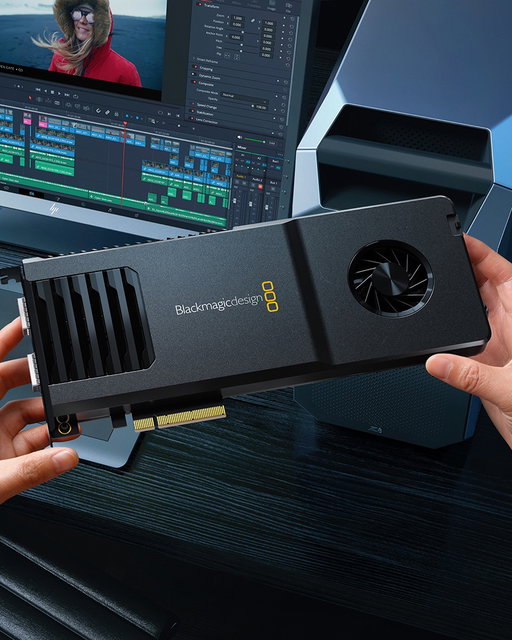
DeckLink IP 100G is now available for capture and playback to 2110 IP video systems. It supports 8 simultaneous channels of Ultra HD capture and playback at the same time on Windows and Linux. However, we are currently limited to 4 channels of simultaneous capture and playback on Mac. We are working on increasing the number of channels on Mac.
We are also reducing the price from US$1795 to US$1495.
#BlackmagicDesign #DeckLink #filmproduction

124K
4.46K
114
1mo ago
blackmagicnewsofficial
What’s New in DaVinci Resolve 21.1
Watch this video to learn about new features in DaVinci Resolve 21.1, including AI assistant integration, expanded still photography support plus over 100 new tools and controls for editors and colorists!
#BlackmagicDesign #DaVinciResolve #postproduction

122K
4.88K
184
2mo ago
blackmagicnewsofficial
Today we announced Blackmagic Camera 10.2.2 update for Blackmagic Cinema Camera 6K which adds support for phase detect autofocus. This makes it easy to keep your subjects in focus, even as they move, with options added for continuous autofocus, object tracking or face tracking modes.
This update also adds support for Blackmagic Cloud stream routing. This lets you route a live stream from the camera directly into your studio, or stream to multiple platforms at the same time using Blackmagic Cloud.
In addition, this update adds support for up to 10 minutes pre-record on Blackmagic Cinema Camera 6K. Now you can record up to 10 minutes of action before you press the record button. The pre-record function lets the camera continuously record to the media card, ensuring any unexpected event will never be missed. Simply select the pre-record duration you need, from 5 seconds to a full 10 minutes, and that cached media will be added to the start of each file you record. This means every important moment is safely captured, critical for unpredictable or fast changing environments like documentaries, news or live events. By only saving what’s needed, pre-record also helps reduce storage use because even though you are constantly recording, only the section before you press record is preserved.
Also included in this update is support for 4 channel audio recording. This allows you to record two additional audio channels which is ideal for interviews, live events or documentaries where you might want separate mics for talent, ambient sound or scratch tracks, all perfectly synced within the video file.
Blackmagic Camera 10.2.2 is available now as a free download from https://bmd.link/LsR9Yb
#BlackmagicDesign #BlackmagicCinemaCamera6K #BCC6K #filmmaking
107K
2.87K
78
8mo ago
blackmagicnewsofficial
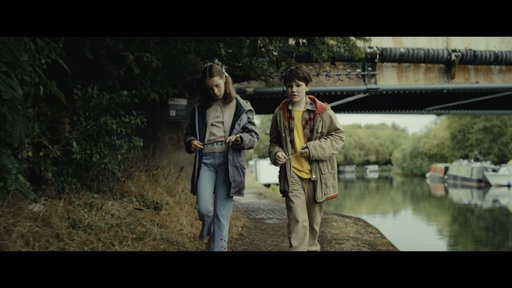
Blackmagic URSA Cine 17K 65 ‘To Fly or to Float’
British cinematographer Ben Saffer @bensaffer and director Charlotte Peters @charlottepetersdirects chose the Blackmagic URSA Cine 17K 65 paired with Cooke Panchro 65/i spherical lenses to shoot their 1970s period film, ‘To Fly or Float’, creating a layered look with interesting contrast ratios.
Read the full story and download the Blackmagic RAW clips at http://bmd.link/ARXy7F
#BlackmagicDesign #BlackmagicURSACine17K #URSACine17K #filmmaking
99.1K
3.96K
53
6mo ago
blackmagicnewsofficial
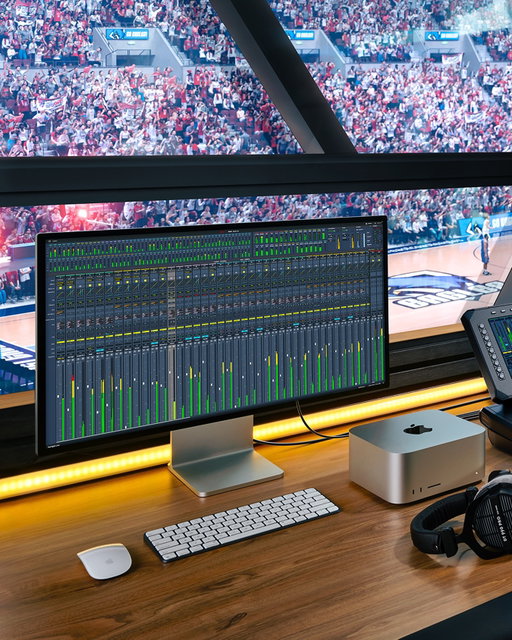
Today we introduced Fairlight Live, a powerful new software-based live audio mixer with spatial audio mixing and support for SMPTE-2110 broadcast workflows!
Unlike traditional hardware based audio mixers, Fairlight Live is a software-based mixer, so it can support incredibly powerful features such as spatial audio mixing and SMPTE-2110 broadcast workflows. It even supports full redundancy! Fairlight Live easily handles hundreds or even thousands of audio channels, depending on your computer. Plus, it works with standard computer audio or USB audio from ATEM live production switchers. This means you get a fully customizable live audio mixer with built-in effects and professional features such as a cue player, talkback busses, third-party plug-in support, snapshots and much more!
Fairlight Live will be demonstrated on the Blackmagic Design NAB 2026 booth #N2502 and is available now as a free download from www.blackmagicdesign.com/support
Learn more at http://bmd.link/EyVw7s
#BlackmagicDesign #FairlightLive #postproduction
92.5K
3.70K
40
2mo ago
blackmagicnewsofficial
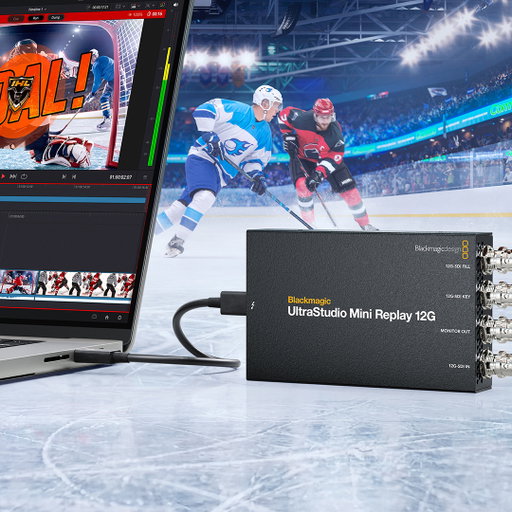
Introducing UltraStudio Mini 12G! Three new extremely portable Thunderbolt™ 4 capture and playback models with HDMI and dual 12G-SDI for 10-bit fill and key playback! Learn more at http://bmd.link/tmV4W7
82.7K
3.31K
43
6mo ago
blackmagicnewsofficial
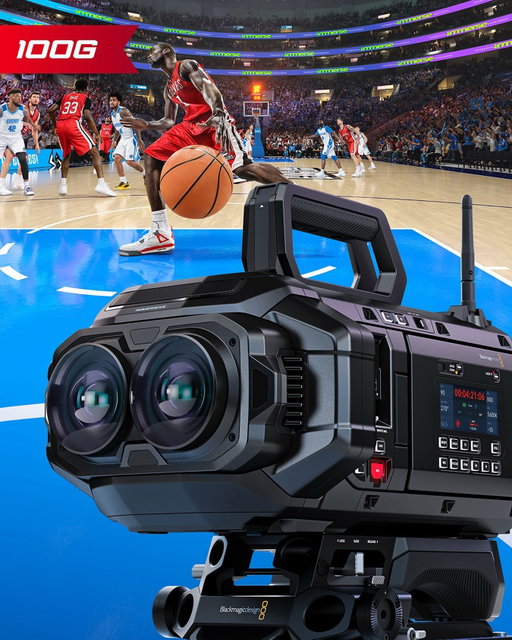
Today we announced Blackmagic URSA Cine Immersive 100G, the world’s first immersive cinema camera for live immersive production. It features a high speed 100G Ethernet port so it can output SMPTE-2110 live immersive video when used with the Blackmagic URSA Live Encoder.
The Blackmagic URSA Cine Immersive 100G includes the same powerful features as the standard model including dual 8Kx8K RGBW sensors and 16 stops of dynamic range. It also uses 100G Ethernet to deliver the bandwidth needed to output live immersive video for the first time.
We also announced Blackmagic URSA Live Encoder, which is a high speed compressor processing module that encodes live data into Apple ProRes for output as SMPTE-2110-22 IP immersive video. This allows you to combine the stereo, high frame rate image streams into a single 100G Ethernet connection.
Blackmagic URSA Cine Immersive 100G will be available Q3 for US$26,495, excluding local duties. Blackmagic URSA Cine Immersive is available now at a new more affordable price of US$24,995, excluding local duties. Blackmagic URSA Live Encoder will be available later this year for US$1,495.
Blackmagic URSA Cine Immersive 100G will be demonstrated on the Blackmagic Design NAB 2026 booth #N2502.
Learn more at http://bmd.link/37RfEX
#BlackmagicDesign #BlackmagicURSACineImmersive100G #cinemacamera #URSACine
82.6K
3.30K
109
4mo ago
blackmagicnewsofficial
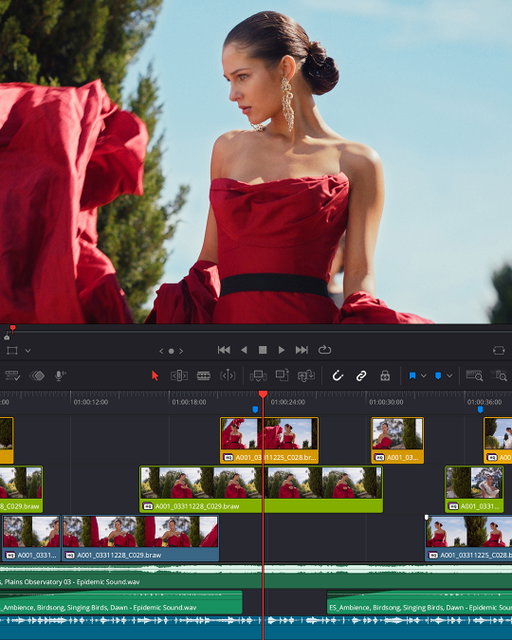
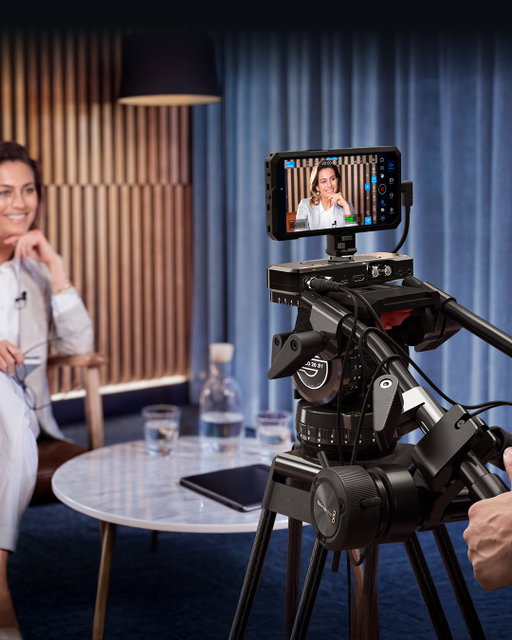
Today we announced that the final release of DaVinci Resolve 21 is now available.
DaVinci Resolve 21 is a significant update introducing hundreds of features including new AI tools like IntelliSearch for fast content searching, CineFocus for focal point adjustment and tools for facial refinement. The Krokodove toolset adds over 70 new graphics to Fusion, Fairlight folders simplify audio track management, plus there are improvements to keyframing, MultiMaster trim passes, layer list node graphs and more.
Another major update in this release is the introduction of the new Photo page, which enables colorists and photographers to use Hollywood’s most advanced color tools for still photos. The Photo page lets you import and manage photographs, integrating with the color page for node based grading. You can use primary color correction, curves, qualifiers, power windows and node editor to adjust color in artistic ways across an entire project. Plus, you can use a DaVinci color panel to adjust multiple parameters at once.
DaVinci Resolve 21 is available now as a free download from https://bmd.link/RvcV9h
#BlackmagicDesign #DaVinciResolve #DaVinciResolve21 #postproduction
79.5K
3.18K
50
6mo ago
blackmagicnewsofficial
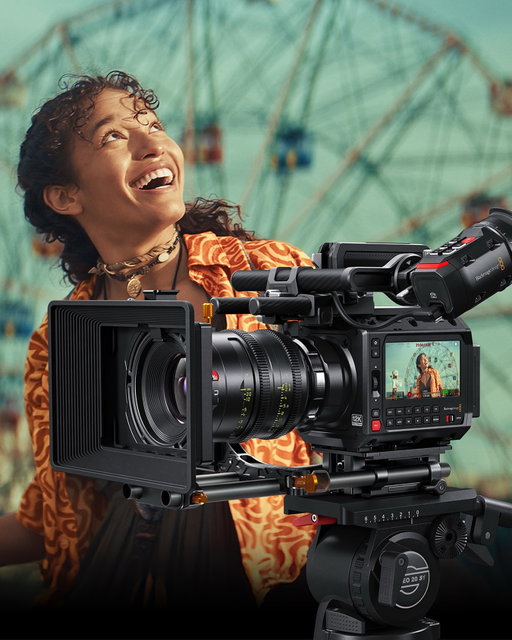
Today we announced Blackmagic Camera for iOS 3.3 which adds support for camera control and monitoring with Apple Watch. This is perfect for situations where your iPhone is mounted out of reach as it allows you to start and stop recording, as well as monitor your shot. To set up, simply install the companion app through the Watch app on your iPhone.
This update also adds support for ATEM camera control when using Blackmagic Camera with Blackmagic Camera ProDock. This means you get tally, video and camera control when your ProDock is connected to an ATEM Mini switcher. It’s a great way to transform your iPhone into a powerful studio camera.
In addition, you can now control Blackmagic Camera using Blackmagic Zoom and Focus Demands when connected to Blackmagic Camera ProDock. This gives you broadcast style lens control and allows you to frame and adjust your shot without taking your hands off the tripod handles.
There is also support for full screen portrait mode HDMI output, front camera support for portrait and landscape orientations without rotation on iPhone 17 and support for ProRes RAW stabilization in iOS 26.1 and above.
For ATEM camera control and Blackmagic Zoom and Focus Demand support, download Blackmagic Camera ProDock 1.1 and Blackmagic Camera 10.0.2 from www.blackmagicdesign.com/support
Blackmagic Camera for iOS 3.3 is available now as a free download from http://bmd.link/fqE9p7
#BlackmagicDesign #BlackmagicCamera #iPhonecamera
76.2K
3.05K
76
5mo ago
blackmagicnewsofficial
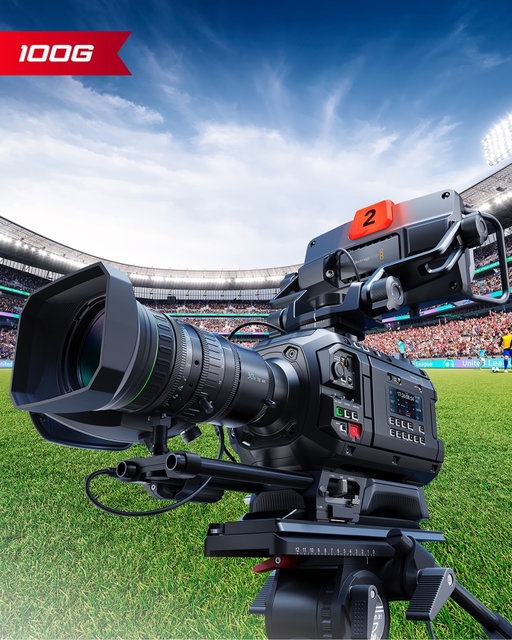
Today we announced that Blackmagic PYXIS 12K has been added to the Netflix Approved Camera List. Officially titled “Cameras and Image Capture: Requirements and Best Practices”, the list highlights the capture requirements necessary to be qualified as an approved camera by the streamer, including dynamic range, resolution, codec, workflow compatibility and more. Netflix requires 90% of a program’s final total runtime to be captured on approved cameras.
The list already includes the Blackmagic URSA Cine 17K 65, Blackmagic URSA Cine 12K LF, Blackmagic URSA Mini Pro 12K OLPF and URSA Mini Pro 4.6K G2 amongst its approved systems.
Learn more about Blackmagic PYXIS 12K at www.blackmagicdesign.com/products/blackmagicpyxis
#BlackmagicDesign #BlackmagicPYXIS12K #PYXIS12K #Netflix #filmmaking
69.2K
2.77K
19
6mo ago
blackmagicnewsofficial
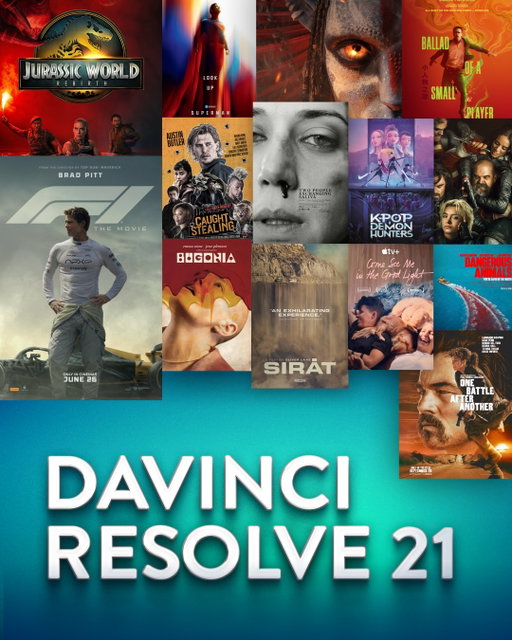
Introducing Blackmagic URSA Cine 12K LF 100G, a revolutionary digital film camera with fast 100G Ethernet so you can use cinematic digital film quality for live production. With 100G Ethernet you get SMPTE-2110 output up to 440 fps!
This new model in the URSA Cine family builds on the revolutionary digital film features of the URSA Cine 12K LF. It includes the large format RGBW 36x24mm sensor and adds dramatically faster networking for cinematic live production workflows. You get real-time SMPTE-2110 IP video from the Ethernet connector, supporting up to 2160p60 with cinematic quality and 16 stops of dynamic range. That’s well beyond traditional broadcast cameras. Plus, the 100G model outputs live video up to 440 fps for amazing slow-motion sports replays.
Blackmagic URSA Cine 12K LF 100G will be demonstrated on the Blackmagic Design NAB 2026 booth #N2502 and will be available Q3 for US$8,995, excluding duties.
Learn more at http://bmd.link/XscTxM
#BlackmagicDesign #BlackmagicURSACine12KLF100G #BlackmagicURSACine #liveproduction
67.4K
2.70K
42
5mo ago
blackmagicnewsofficial
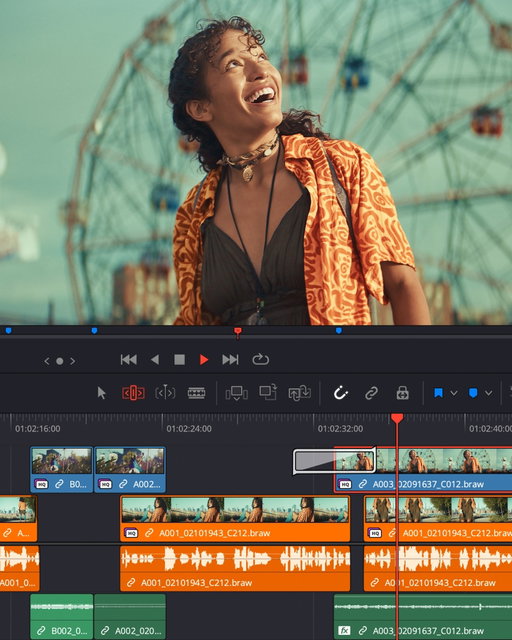
Today we released public beta 3 of DaVinci Resolve 21 which adds improvements and bug fixes across MultiMaster collaboration workflows, still image capture and color management, graphics workflows, and immersive video support.
This update improves collaborative workflows with more flexible MultiMaster trim selection, allowing each user to independently choose trims per timeline without affecting other users. This means colorists with Dolby Vision capable displays and dailies editors with laptops can choose different active trims without affecting one another.
This beta also includes improvements for the photo page, including support for live camera capture from Sony Alpha 7 V cameras, allowing you to capture, grade and organize an entire shoot without leaving DaVinci Resolve. There are also new photo page capture controls for camera orientation, a capture option to add photos to a new album and improved photo thumbnail information for small thumbnail widths. This update also adds support for colorspace and gamma controls for NEF sRAW stills, better chromatic aberration and distortion correction of RAF stills and greater image editor compatibility for exported sRGB HEIC files. Plus, there’s now support for decoding Panasonic Lumix RW2 files.
DaVinci Resolve 21 Beta 3 adds new scripting APIs for AI based workflows including IntelliSearch analysis, Slate analysis, motion blur removal and background task controls, along with improvements to the updated Macro Editor for building Fusion templates and macros more efficiently. There’s also face age transformer improvements for small age changes, bad lighting and partial faces.
In addition, this update improves immersive YouTube render metadata for VR and stereoscopic workflows, including improved Stereo3D VR metadata handling for side by side and top bottom renders, as well as spherical immersive metadata support for YouTube VR video exports.
DaVinci Resolve 21 Public Beta 3 update is available now as a free download from https://bmd.link/v773W3
#BlackmagicDesign #DaVinciResolve #DaVinciResolve21 #postproduction
66.2K
2.65K
60
8mo ago
blackmagicnewsofficial
Today we announced DaVinci Resolve 20.3.2, which adds a new trim editor option that lets you keep dynamic trim enabled while working on the edit page. This allows you to perform fast, precise ripple and rolling edits using JKL playback controls while the timeline is playing, without needing to repeatedly toggle the setting.
Subtitle kerning has also been improved to deliver more consistent spacing across titles and subtitles, reducing the need for manual adjustments and creating a more professional overall look for your typography.
For DaVinci Resolve Studio users, magic mask caching is now preserved when pasting attributes between nodes, saving processing time by avoiding unnecessary reanalysis. There are also multiple workflow improvements for immersive and stereo 3D projects, including more accurate handling of lens metadata when clips are disabled on higher tracks, as well as consistent behaviour when rendering marked ranges in a timeline and improved proxy workflows for stereo and immersive clips.
This update also adds new colorspace and gamma options for Fujifilm camera footage, as well as support for Dolby personalized headphone profiles for more accurate binaural monitoring in Fairlight.
DaVinci Resolve 20.3.2 update is available now as a free download from http://bmd.link/JFi7qg.
#BlackmagicDesign #DaVinciResolve #postproduction

65.1K
hidden
44
9mo ago
blackmagicnewsofficial
Australian-based director and DP Garth de Bruno Austin @garthdbaustin has over 15 years filmmaking experience, capturing both wildlife and human stories in some of the most challenging environments in the world. Known for his ability to adapt to demanding conditions, Garth was eager to explore the capabilities of the Blackmagic URSA Cine 12K LF to see how this full-frame camera could enhance his storytelling and creativity.
Read the full story and download the Blackmagic RAW clips at http://bmd.link/tXfFkr
#BlackmagicDesign #BlackmagicURSACine12K #URSACine12K #filmmaking
56.5K
2.26K
55
1mo ago
blackmagicnewsofficial
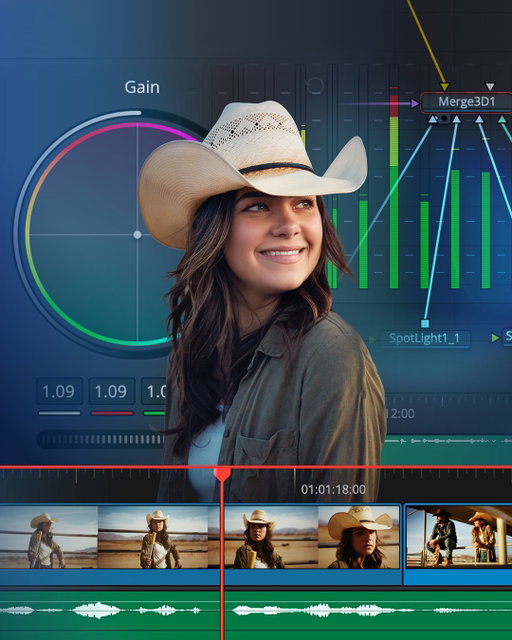
Introducing DaVinci Resolve 21.1!
This major update introduces AI assistant integration, expanded support for still photography and camera formats, plus over 100 new tools and controls for faster editing and color grading workflows.
Download now from https://bmd.link/y3rH9z
#BlackmagicDesign #DaVinciResolve #postproduction
56.3K
2.25K
60
11mo ago
blackmagicnewsofficial
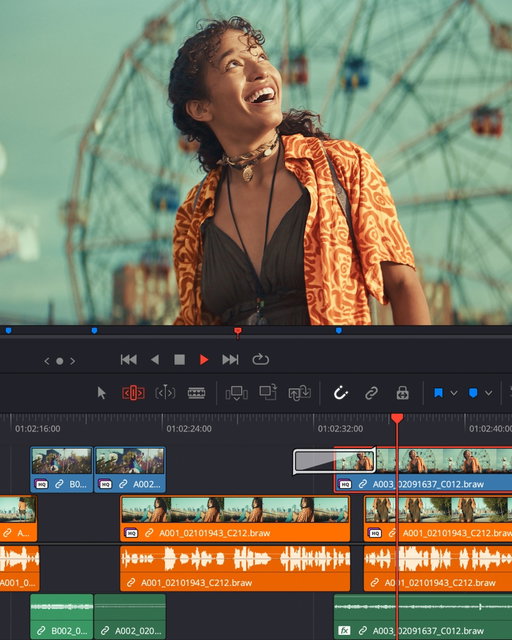
Today we announced DaVinci Resolve 20.2.3, which adds support for up to 4x faster Magic Mask, Depth Map and Super Scale performance on Windows Intel GPUs running DaVinci Resolve Studio. With increased speed for these AI tools, you can now quickly isolate subjects, enhance backgrounds or upscale footage in real time for smoother, more responsive editing and grading.
You can now assign a hotkey to open or close the timeline keyframe and curves tray when editing. This makes it faster to animate and fine tune the timing and motion of clips, so you can easily adjust position, scale and volume directly on the timeline.
For those working with WEBM and MKV files, DaVinci Resolve 20.2.3 adds support for the older VP8 codec. This means you can import and edit content from older YouTube videos, web sources and certain cameras without converting files first, saving time and maintaining the original quality of the clips.
When creating video effects, rendered EXRs now retain nested position metadata from original clips. This preserves the alignment and spatial relationships of elements, making it easier to manage and re-edit nested sequences more easily and accurately.
In addition, this update includes improved decoding and scripting integration for MP4 and MKV files, plus support for Blackmagic RAW 5.1.
DaVinci Resolve 20.2.3 update is available now as a free download from http://bmd.link/ojiTx7
#BlackmagicDesign #DaVinciResolve #postproduction

55.5K
2.22K
27
1mo ago
blackmagicnewsofficial
Join Blackmagic Design for a series of free online seminars for DaVinci Resolve 21! Our latest release includes the new Photo page, over 100 new motion graphic effects and 50 new features. New AI tools include IntelliSearch for fast content searching, CineFocus for focal point adjustment and more!
These six free 90 minute online seminars are ideal for filmmakers, editors, colorists and VFX artists, with something for both new and experienced users of DaVinci Resolve. This is your chance to refine your creative skills, learn new techniques and get valuable insights from the best in the industry!
DaVinci Resolve for New Users
Friday 18th September 14:00 (BST)
Creativity from Photo to Video
Friday 25th September 14:00 (BST)
Color Fundamentals for Editors
Friday 23rd October 14:00 (BST)
Switching to DaVinci Resolve
Friday 30th October 14:00 (GMT)
Workflows from Camera to Delivery
Friday 20th November 14:00 (GMT)
Work Smarter with AI Tools
Friday 27th November 14:00 (GMT)
Learn more at https://www.blackmagicdesign.com/event/davinci-resolve-online-seminars
Blackmagic Design (@blackmagicnewsofficial) Instagram Stats & Analytics
Blackmagic Design (@blackmagicnewsofficial) has 282K Instagram followers with a 3.60% engagement rate over the past 12 months. Across 81.0 posts, Blackmagic Design received 190K total likes and 5.00M impressions, averaging 2.34K likes per post. This page tracks Blackmagic Design's performance metrics, top content, and engagement trends — updated daily. To benchmark @blackmagicnewsofficial against other accounts, use Socialpruf's Instagram competitor analysis tool.
Blackmagic Design (@blackmagicnewsofficial) Instagram Analytics FAQ
How many Instagram followers does Blackmagic Design have?+
Blackmagic Design (@blackmagicnewsofficial) has 282K Instagram followers as of October 2026.
What is Blackmagic Design's Instagram engagement rate?+
Blackmagic Design's Instagram engagement rate is 3.60% over the last 12 months, based on 81.0 posts.
How many likes does Blackmagic Design get on Instagram?+
Blackmagic Design received 190K total likes across 81.0 posts in the last 12 months, averaging 2.34K likes per post.
How many Instagram impressions does Blackmagic Design get?+
Blackmagic Design's Instagram content generated 5.00M total impressions over the last 12 months.
Can I compare Blackmagic Design with other Instagram accounts?+
Yes. Add @blackmagicnewsofficial to a competitor set with Socialpruf's Instagram competitor analysis tool and benchmark it side by side with any other public accounts on views, engagement rate and follower growth, with history back to each account's first post.