NewGet @wallstwardrobe's full report

tiktok analytics
Similar Accounts:
tiktok analytics
Similar Accounts:
followers
59.9K
impressions
12.4M
likes
423K
comments
4.38K
posts
252
engagement
3.44%
emv
$360K
Average per post
49.3K
Key Metrics
Impressions
monthly
Distributions
Content

871K
31.0K
86
9mo ago

wallstwardrobe
1. Ctrl + Arrow: Jump to the last populated cell in any direction (Perfect for navigating big models without scrolling) 2. Ctrl + Shift + Arrow: Highlight an entire data block instantly (Use this before formatting or copying ranges) 3. Alt + = : Auto-sum everything above your active cell (Yes, it still feels like magic) 4. Ctrl + Alt + V :Paste exactly what you want (Values, formulas, formats, column widths — your choice) 5. Ctrl + Space :Select an entire column Shift + Space → Select an entire row 6. Alt + H + O + W :Adjust column width Alt + H + O + H :Adjust row height (Faster than dragging when things need to be precise) 7. F12 :Save As (Underrated when versioning models) 8. Ctrl + Home :Snap back to cell A1 (After you’ve gone too far into the abyss) 9. Ctrl + Pg Up / Pg Down :Flip between worksheets (Way faster than clicking tabs) 10. Alt + I + C :Insert a column Alt + I + R :Insert a row 11. Ctrl + ` :Toggle formulas on/off (Essential for auditing someone else’s model) 12. Alt + H + C + P :Copy a clean screenshot of selected cells (Great for decks and emails) Hope this helps 🤍

785K
2.32K
16
6mo ago
wallstwardrobe
Part 3 of how to fight the corporate glowdown. Your skin is the first place stress and long days start to show — which is why I focus on skincare before makeup. The Olay Super Serum gives 5 skincare benefits in one step, making it perfect for busy mornings when you don’t have time for a full routine. It also works as a great base under makeup, and I pair it with the Super Cream with SPF so I’m protecting my skin too. A small investment now = better skin long term to fight the corporate glowdown. #ad #OlayPartner #skincare #financegirl #corporate
734K
35.2K
214
1w ago
wallstwardrobe
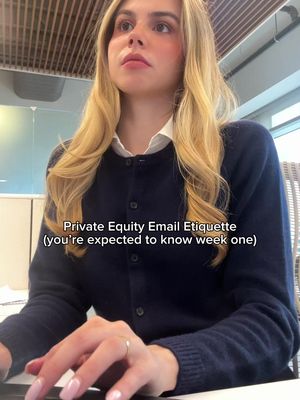
PE email etiquette you’re expected to know week one: 1. Never make an MD dig through your email to figure out what you need. Put the request in the first two lines. “For approval: Revised valuation assumptions for Project Atlas. Please confirm by 3 PM so we can circulate the updated model.” Senior people should know exactly what action is required before scrolling. 2. If you’re sending a model, explain what changed and why it matters. “Please see attached updated model” tells them nothing. Instead: “Incorporated management’s revised EBITDA forecast and updated exit assumptions. Base-case IRR decreased from 22% to 19%.” The numbers are illustrative, but that level of specificity is the standard to aim for. 3. Don’t forward a problem without proposing a solution. If a portfolio company misses its reporting deadline, don’t just forward the email and ask what to do. Explain what is outstanding, whether it affects a deliverable, and what you recommend doing next. 4. Know the difference between keeping someone informed and creating unnecessary inbox traffic. An MD doesn’t need to be copied on every scheduling exchange. But if a material diligence issue arises or an important assumption changes, don’t leave the decision-maker out of the conversation. 5. Never bury bad news beneath three paragraphs of positive updates. If management revised EBITDA guidance downward, lead with that. Explain the magnitude, the likely impact on returns, and the next step. The most important information should never be the last thing someone reads. 6. Be extremely careful with external emails. Before sending anything to an LP, banker, lender, or portfolio company, double-check the recipients, attachments, permissions, and confidentiality restrictions. Sending the wrong version of a model or including someone on the wrong distribution list is not a small administrative mistake. 7. If someone senior asks you a question you can’t answer immediately, acknowledge it and give a realistic follow-up. “I’ll confirm the debt balance against the latest lender report and revert by 2 PM.” Don’t guess, disappear for six hours, or promise a deadline you can’t meet. 8. Your follow-up email after a meeting should make the next steps impossible to misunderstand. Summarize the decisions, outstanding questions, responsible parties, and deadlines. In investor relations especially, a clear written follow-up can be just as important as the meeting itself. The best emails in private equity aren’t necessarily the most polished or formal. They’re the ones that let senior people understand the situation, make a decision, and move forward without having to ask five follow-up questions.
567K
25.9K
44
4mo ago
wallstwardrobe
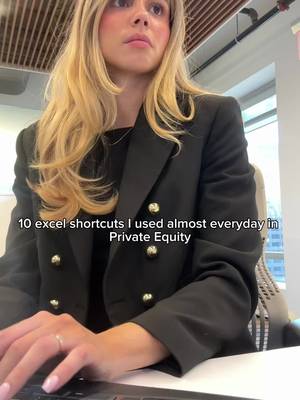
10 Excel shortcuts I used almost every day in private equity: 1️⃣ Ctrl + T
Turns a range into a smart table so formulas auto-expand. Do it before you touch a dataset. 2️⃣ Ctrl + E
Flash Fill. Type a pattern once and Excel fills the rest. Example: in a column of names like "Smith, Jane," type "Jane Smith" in the next cell and Excel reformats the whole list. 3️⃣ Ctrl + Shift + L
Toggles filters on and off without the ribbon. Example: on a deal list, turn on filters to show only the rows marked Active, or to sort by deal size. 4️⃣ F5, Special, Blanks
Selects every blank cell in a range so you can fill or delete in one pass. Example: after pasting a data dump where group labels only show on the first row, select the column, grab the blanks, and fill them with the value above. 5️⃣ Ctrl + ;
Stamps a static date. Add Shift for the time. 6️⃣ Alt + Enter
Adds a line break inside a cell for clean labels. 7️⃣ LET
Names variables inside a formula so it stays readable. Example: =LET(rev, B1, cost, B2, (rev-cost)/rev) defines rev and cost once, then returns the margin. 8️⃣ UNIQUE
Spills a deduplicated list that updates as your data changes. Example: =UNIQUE(A2:A100) pulls every distinct value from the column, no pivot needed. 9️⃣ Watch Window
Tracks key cells across tabs. Go to Formulas, then Watch Window, then add a cell like your IRR or equity value. You see it update live while you edit inputs on another tab. 🔟 Ctrl + Shift + U
Expands the formula bar so you can read long formulas. Save this for the next time you open a model. #corporatefinance #privateequity #exceltips #financecareers #womeninfinance

374K
16.3K
237
5mo ago
wallstwardrobe
Empty NYC apartment tour in honor of the movers coming today 🙌🏼 please comment any and all design tips especially for bedroom

359K
14.7K
43
5mo ago
wallstwardrobe
If you work in private equity IR and you’re not using Claude/Cowork on fundraising materials, LP requests, and portfolio reporting, you’re still doing hours of manual work that AI can compress overnight. A lot of firms are actively building internal AI infrastructure right now - especially across IR, fundraising, diligence prep, and portfolio communications. 10 prompts to save hours: 1. LP DDQ / RFP DRAFTING “Read our prior DDQs, fund materials, and investor deck. Draft responses to this LP questionnaire in firm-consistent language, flagging any missing data or outdated responses.” 2. QUARTERLY LP LETTER BUILDER “Read prior quarterly letters, portfolio updates, and KPI files. Draft this quarter’s LP update with portfolio performance, realizations, fundraising progress, and placeholders for leadership commentary.” 3. FUND PERFORMANCE BREAKDOWN “Analyze this fund model and summarize DPI, RVPI, TVPI, MOIC, and Net IRR by fund and portfolio company. Highlight key drivers, outliers, and investor talking points.” 4. PORTFOLIO COMPANY KPI DASHBOARD “Pull monthly portfolio KPI files, update the master dashboard, and flag any company with revenue, EBITDA, or leverage variance greater than 10% to plan.” 5. LP MEETING PREP “Read this LP’s diligence history, prior questions, investment preferences, and past meeting notes. Build a briefing memo with likely objections, relevant portfolio wins, and strategic talking points.” 6. CIM / DATA ROOM TO INVESTOR MEMO “Read this CIM, management presentation, and diligence materials. Build a clean investor-facing one-pager with business overview, market opportunity, historical financials, risks, and positioning.” 7. FUNDRAISING PIPELINE MANAGEMENT “Review all CRM notes, placement agent updates, and investor outreach emails from the last 60 days. Build a live fundraising pipeline by LP, stage, ticket size, last touchpoint, and next step.” 8. PEER FUND BENCHMARKING “Analyze competitor funds by size, strategy, sector, performance, and recent fundraising activity. Build a benchmarking deck for positioning against peers.” #privateequity #exceltips
![Modeling confidence comes from knowing the shortcuts that make everything smoother and cleaner. Nobody really teaches you these tricks, you’re usually expected to know them. 📌Ctrl + Shift + 1 (or !) — Clean number formatting Instantly formats numbers with two decimals. No menu clicking. PE analysts use this constantly. 📌Ctrl + Shift + $ — Currency formatting Forget manually adding dollar signs — this does it perfectly, every time. 📌Ctrl + Shift + % — Percent formatting If you work with margins, growth rates, or returns, this becomes your best friend. 📌Ctrl + Shift + Arrow Keys — Select entire data ranges Jump and select thousands of cells in one move. This is how analysts navigate giant models without touching the mouse. 📌Alt + = — Auto-Sum Excel finds the range and sums it in one step. Shaves minutes off every reconciliation. 📌F2 — Audit formulas quickly Shows every input feeding the formula. Perfect for catching errors before your VP does. 📌Ctrl + [ — Jump to precedent cells Takes you directly to the input driving a number. A lifesaver when you’re reviewing someone else’s model. 📌Ctrl + ] — Jump to dependent cells Want to see where your number flows next? This takes you there instantly. 📌F4 — Anchor cells ($A$1) The fastest way to lock rows, columns, or both. If you build lookup formulas, this shortcut matters. 📌Alt + H + O + I — Auto-fit column width Makes your model clean and readable in seconds. Save this to save time. #privateequity #exceltips #finance](https://cdn.socialpruf.com/tiktok/thumbnails/7582695300477865229?optimizer=image&width=512)
354K
13.1K
44
10mo ago
wallstwardrobe
Modeling confidence comes from knowing the shortcuts that make everything smoother and cleaner. Nobody really teaches you these tricks, you’re usually expected to know them. 📌Ctrl + Shift + 1 (or !) — Clean number formatting Instantly formats numbers with two decimals. No menu clicking. PE analysts use this constantly. 📌Ctrl + Shift + $ — Currency formatting Forget manually adding dollar signs — this does it perfectly, every time. 📌Ctrl + Shift + % — Percent formatting If you work with margins, growth rates, or returns, this becomes your best friend. 📌Ctrl + Shift + Arrow Keys — Select entire data ranges Jump and select thousands of cells in one move. This is how analysts navigate giant models without touching the mouse. 📌Alt + = — Auto-Sum Excel finds the range and sums it in one step. Shaves minutes off every reconciliation. 📌F2 — Audit formulas quickly Shows every input feeding the formula. Perfect for catching errors before your VP does. 📌Ctrl + [ — Jump to precedent cells Takes you directly to the input driving a number. A lifesaver when you’re reviewing someone else’s model. 📌Ctrl + ] — Jump to dependent cells Want to see where your number flows next? This takes you there instantly. 📌F4 — Anchor cells ($A$1) The fastest way to lock rows, columns, or both. If you build lookup formulas, this shortcut matters. 📌Alt + H + O + I — Auto-fit column width Makes your model clean and readable in seconds. Save this to save time. #privateequity #exceltips #finance

324K
10.1K
20
1mo ago
wallstwardrobe
Come behind the scenes of running Wall Street Women. Adobe Acrobat has become one of my go-to tools for editing, signing, converting, and securely sharing documents throughout the day. @Adobe Acrobat #AdobeAcrobatPartner

286K
15.7K
101
5mo ago
wallstwardrobe
Dream apartment!!! Noho’s newest residents 🤗

270K
4.05K
51
8mo ago
wallstwardrobe
8 old money social codes you must master to advance quickly in your career (or stay average forever). 1.Don’t over-compliment Reserve praise for what is genuinely exceptional. Sparse, intentional praise sharpens your credibility and trains your eye to recognize real value. The elite don’t hand out participation trophies. 2. Never initiate photos Pulling out your phone shifts the focus from the conversation, the idea, or the relationship being built — back to you. Initiating photos signals you’re still seeking validation instead of commanding the moment. 3. Controlled indifference / strategic calm In fast-paced, high-pressure environments, chaos is constant. Those who overreact scramble and burn out. Those with power observe, decide what warrants a response, and let the trivial drift away. Master this, and doors open quietly. Ignore it, and you’re just another voice in the storm. 4. Don’t overshare Never volunteer personal details — family matters, relationship status, or weekend escapades. Oversharing invites judgment, gossip, leverage, or distraction from your career. Mystery preserves power. Discretion builds trust. 5. Watch who the room defers to It’s rarely the loudest voice or the one flashing the biggest P&L. Respect flows to those with proven judgment — not volume. 6. Leave before energy drops Know when to exit conversations or meetings while people are still engaged. Staying too long weakens the impression you worked to build. 7. Let recognition come to you Being eager cheapens your presence. Let others surface your work — influence compounds when it’s observed, not announced. 8. Accept criticism with grace It signals maturity and earns respect from those who control the next promotion. Defensiveness kills careers. Grace turns criticism into compound advantage. These small habits compound and make the difference between those who make it to the top and those who don’t. #womeninfinance #corporategirl #investmentbanking #privateequity
![1. Don’t over-explain your title or role Bad: “So I’m technically a senior associate but I kind of function more like a VP in terms of what I’m responsible for...” Good: “I’m a senior associate at [firm], focused on middle market buyouts.” 2. How you handle the bill Bad: Reaching for the bill, offering to split, or making a comment about the price of anything. Good: You never touch the bill at a PE dinner unless you are the host. The person who invited you is handling it and acknowledging it out loud makes everyone uncomfortable. 3. How you introduce yourself to someone you already know Bad: “Oh we’ve actually met before, it was at the XYZ conference last year, I’m not sure if you remember me...” Good: Re-introduce yourself cleanly every time. “Hannah, good to see you again.” Never put someone in the position of pretending to remember you. 4. How you handle not knowing something at the table Bad: Bluffing your way through a reference you don’t know — a fund, a deal, a name — and getting caught. Good: “I’m not familiar with that one — tell me more.” Curiosity can be seen as more confident and always beats bluffing. 5. How you follow up after Bad: “It was so great to meet you, I’d love to stay in touch!” with no specific next step. Good: One specific email the same night referencing one specific thing from the conversation. Just proof you actually paid attention and remembered parts of the conversation. #privateequity #womeninfinance #investmentbanking #wallstreet #corporategirl](https://cdn.socialpruf.com/tiktok/thumbnails/7631402562327006478?optimizer=image&width=512)
262K
6.46K
44
6mo ago
wallstwardrobe
1. Don’t over-explain your title or role Bad: “So I’m technically a senior associate but I kind of function more like a VP in terms of what I’m responsible for...” Good: “I’m a senior associate at [firm], focused on middle market buyouts.” 2. How you handle the bill Bad: Reaching for the bill, offering to split, or making a comment about the price of anything. Good: You never touch the bill at a PE dinner unless you are the host. The person who invited you is handling it and acknowledging it out loud makes everyone uncomfortable. 3. How you introduce yourself to someone you already know Bad: “Oh we’ve actually met before, it was at the XYZ conference last year, I’m not sure if you remember me...” Good: Re-introduce yourself cleanly every time. “Hannah, good to see you again.” Never put someone in the position of pretending to remember you. 4. How you handle not knowing something at the table Bad: Bluffing your way through a reference you don’t know — a fund, a deal, a name — and getting caught. Good: “I’m not familiar with that one — tell me more.” Curiosity can be seen as more confident and always beats bluffing. 5. How you follow up after Bad: “It was so great to meet you, I’d love to stay in touch!” with no specific next step. Good: One specific email the same night referencing one specific thing from the conversation. Just proof you actually paid attention and remembered parts of the conversation. #privateequity #womeninfinance #investmentbanking #wallstreet #corporategirl
255K
6.87K
34
5mo ago
wallstwardrobe
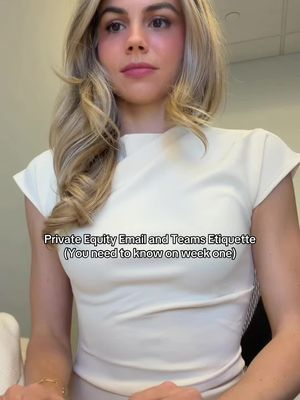
• Always include the ask and deadline in the first two lines. No one should have to hunt for the action item. • If you update a deck, say exactly what changed. “Updated pages 14–18 with revised Q2 numbers and markups from legal.” • Never send an attachment without the version date in the file name. Especially for LP materials. • Don’t reply-all to internal back-and-forth once external parties are copied. Take internal cleanup off-thread. • If an LP asks 3 questions, answer them in the same order they asked them. Makes the response easier to track. • Don’t forward emails with messy internal commentary attached. Clean the chain first. • Teams messages should read like mini workstreams. “Spoke with legal. Updated DDQ. Waiting on tax.” Not paragraphs. • If a senior person sends edits after midnight, acknowledge it before market open. Even if the full turnaround comes later. • Never ask a question on Teams that can be answered by scrolling up two messages. People notice. • In PE, responsiveness is reliability. Even “Received — working on this now” buys trust. • If an email is longer than 5 sentences, use bullets. Especially with LPs, lawyers, or fund admins. • Don’t send calendar invites without context in the title. “Fund IV DDQ Review — open items” > “ Save this if you’re working in PE, IB, or consulting. #privateequity #womeninfinance #investmentbanking #corporategirl #wallstreet

212K
6.49K
36
12mo ago
wallstwardrobe
I’m just a girl 😅😅 #financegirl #corporatelife #privateequity

206K
6.24K
34
9mo ago
wallstwardrobe
Luxury couple London starter pack 🇬🇧 #financebro #couplegoals

175K
3.49K
26
8mo ago
wallstwardrobe
Finance couple starter pack ✨ #investmentbanking #couplegoals #financebro #luxurylifestyle

163K
9.80K
27
2w ago
wallstwardrobe
Honestly he crushed it

137K
5.99K
19
10mo ago
wallstwardrobe
You don’t have to “play the game” to win it #womeninfinance #privateequity #corporatelife

133K
6.52K
62
5mo ago
wallstwardrobe
Story time! Can finally talk about some of the crazy things I saw while working in private equity Disclaimer I am *NOT* talking about my past employers 😃

125K
1.55K
21
7mo ago
wallstwardrobe
Insecure managers don’t develop talent — they compete with it. Here are 7 signs your manager may see you as competition: 1️⃣ They withhold information you need to succeed. But expect perfect results anyway. 2️⃣ Your ideas suddenly become “team ideas”… once they repeat them. 3️⃣ They rarely advocate for you in rooms you’re not in. 4️⃣ They downplay your wins publicly but highlight your mistakes. 5️⃣ You notice they become tense or defensive when others praise your work. 6️⃣ Opportunities that would increase your visibility somehow never reach you. 7️⃣ They manage your output closely, but never invest in your growth. A secure leader develops talent. An insecure one manages threats. The best leaders don’t compete with their people. They build them. Comment “TIPS” if you want another video on how to deal with a manager like this. #financegirl #corporatelife #careeradvice #toxicworkplace
124K
4.25K
61
3mo ago
wallstwardrobe
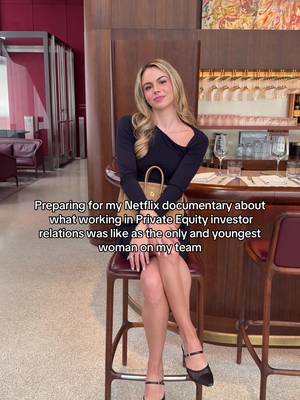
And leaving finance to create a private women’s community 🤭 the stories I could tell… #netflixdocumentary #CapCut
Hannah (@wallstwardrobe) TikTok Stats & Analytics
Hannah (@wallstwardrobe) has 59.9K TikTok followers with a 3.44% engagement rate over the past 12 months. Across 252 videos, Hannah received 423K total likes and 12.4M views, averaging 1.68K likes per video. This page tracks Hannah's performance metrics, top content, and engagement trends — updated daily. To benchmark @wallstwardrobe against other accounts, use Socialpruf's TikTok competitor analysis tool.
Hannah (@wallstwardrobe) TikTok Analytics FAQ
How many TikTok followers does Hannah have?+
Hannah (@wallstwardrobe) has 59.9K TikTok followers as of November 2026.
What is Hannah's TikTok engagement rate?+
Hannah's TikTok engagement rate is 3.44% over the last 12 months, based on 252 videos.
How many likes does Hannah get on TikTok?+
Hannah received 423K total likes across 252 videos in the last 12 months, averaging 1.68K likes per video.
How many TikTok views does Hannah get?+
Hannah's TikTok content generated 12.4M total views over the last 12 months.
Can I compare Hannah with other TikTok accounts?+
Yes. Add @wallstwardrobe to a competitor set with Socialpruf's TikTok competitor analysis tool and benchmark it side by side with any other public accounts on views, engagement rate and follower growth, with history back to each account's first post.