NewClaim a free social report

tiktok analytics
Similar Accounts:
tiktok analytics
Similar Accounts:
followers
7
impressions
5.54K
likes
97
comments
6
posts
19
engagement
1.86%
emv
$142
Average per post
291
Key Metrics
Impressions
monthly
Distributions
Content

957
17
2
3d ago
wideframeapp
People told me it was impossible to edit a video without ever touching the timeline. I proved them wrong. 🤯 Normally, after a massive shoot, you are stuck staring at a chaotic folder of raw footage, multiple camera angles, separate audio files, and random B-roll. You'd usually spend hours, sometimes days, just scrubbing through clips, making selects, and manually dragging them onto your Premiere Pro timeline to build a rough cut. Not anymore. I decided to try something completely different. I dropped my messy footage into Wideframe, an AI coworker for Mac, and gave it one single prompt: "Analyze this footage, find the best moments, and create a first draft." The result: • Scanned every single clip. • Detected the key moments. • Automatically generated a full sequence with the first draft already built. I didn't touch the timeline once, and my rough cut was perfectly set up in Premiere Pro. If you want to skip the grunt work and get straight to the final polish, this is the tool you need. 🚀 👇 Stop wasting hours on your first draft and try Wideframe for free: https://try.wideframe.com/ #VideoEditing #PremierePro #Wideframe #AITools #EditingWorkflow #Filmmaking #ContentCreator #VideoEditor #TechTips
829
22
0
2d ago
wideframeapp
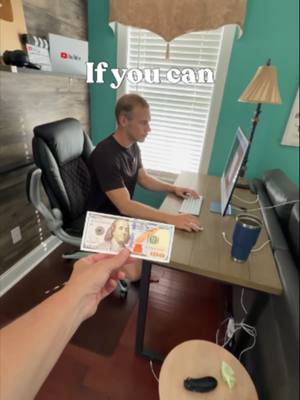
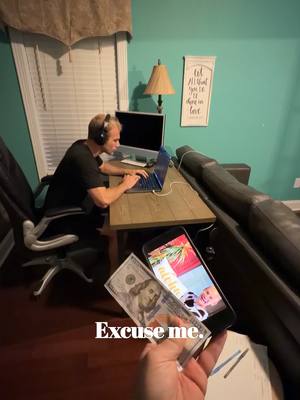
I bet my mom $100 she couldn't edit a video faster than me. While I was stuck at my desk manually organizing clips, cutting silences, and dealing with Premiere Pro crashes, my mom used an AI secret weapon: Wideframe. She dropped all the raw footage into the app, pasted the video script, and gave it one simple prompt. Then, she took a nap on the porch while the AI did all the work. Without her lifting a finger, Wideframe: • Organized all the messy files perfectly. • Read the script to find the best clips and cut out the boring parts. • Built a complete, first class sequence with captions automatically generated. If a complete beginner can edit a video this fast while taking a nap, just imagine how much time this tool could save a real video editor. My mom might have won the $100 and my YouTube play button, but I found the ultimate editing cheat code. 🚀 👇 Work smarter, not harder. Try Wideframe for free: https://try.wideframe.com/ #VideoEditing #AITools #Wideframe #PremierePro #VideoEditor #ContentCreator #Filmmaking #EditingChallenge #EditingWorkflow
794
9
1
1d ago
wideframeapp
Every video editor dreads the prep work. Cutting silences, finding the best takes, and chopping up hours of raw footage is the absolute worst part of the job. 😩 As I say in the video, spending hours on prep work is like stretching for three hours and never actually working out. By the time you get to the creative edit, you are already completely exhausted! That is why I replaced my entire prep workflow with AI. With just one simple prompt, Wideframe takes my raw footage and does the heavy lifting: • Cuts out the dead air and awkward silences. • Finds and selects the best takes automatically. • Builds a ready-to-edit rough cut right inside Premiere Pro. Now, I get to spend my time focusing on what actually makes a video good: the pacing, the story, and the music. If you are an editor in 2026 and still doing the boring stuff yourself, you need to upgrade your workflow. 🚀 👇 Download Wideframe and get back to the fun part of editing: https://try.wideframe.com/ #VideoEditing #AITools #Wideframe #PremierePro #VideoEditor #ContentCreator #Filmmaking #EditingWorkflow
728
4
0
4d ago
wideframeapp
You just went on the trip of a lifetime to Bali, but you haven't edited a single clip. Sounds familiar? 🌴 We have all been there. You capture amazing sunsets, chaotic scooter rides, and unforgettable moments with your friends across multiple cameras and drones. But when you get home, the mental block hits. Staring at terabytes of messy, disorganized raw files is completely paralyzing. Instead of letting those memories sit on a hard drive forever, I used Wideframe to do the heavy lifting for me. I dropped all my raw files into this AI assistant and gave it one simple prompt: • Organize all the footage into logical bins. • Set up a clean Premiere Pro project. • Create a sequence featuring the best moments. In just minutes, the overwhelming mountain of data was gone. Wideframe gave me a perfectly organized sequence to start with, completely curing my editor's block. I could finally jump straight into the fun part and bring my trip back to life! 🚀 👇 Don't let your travel memories fade. Try Wideframe for free: https://try.wideframe.com/ #TravelVlog #VideoEditing #AITools #Wideframe #PremierePro #VideoEditor #ContentCreator #Filmmaking #EditingWorkflow
691
9
0
1d ago
wideframeapp
Guys, I just found the most insane new app for video editors, and it is going to completely change how you make videos. 🤯 If you are tired of spending hours on the boring parts of video production, you need to check out Wideframe. It is not a basic video editor. It is a full AI assistant editor that lives on your Mac and can do almost anything you ask it to! Here is what I had it do in just a few minutes: - Auto-Organization: I dumped an entire wedding shoot into the app, and it instantly sorted all my clips into the correct bins. - Smart Clip Selects: It found the best moments from the shoot and built a highly organized sequence automatically. - Multi-Cam Syncing: It even synchronized my multiple camera angles flawlessly. .- Style Replication: I spent a few days feeding it my old viral YouTube videos, and now it knows how to replicate my exact editing style for future rough drafts! The best part? If I want to tweak something, I can literally just type a prompt to tell it what to change, and it fixes it instantly. It is exactly like having a professional assistant editor sitting right next to you. 👇 Try Wideframe for free and start saving hours on your edits: https://try.wideframe.com/ #VideoEditing #Wideframe #PremierePro #AITools #VideoEditor #ContentCreator #Filmmaking #EditingWorkflow #YouTubeTips
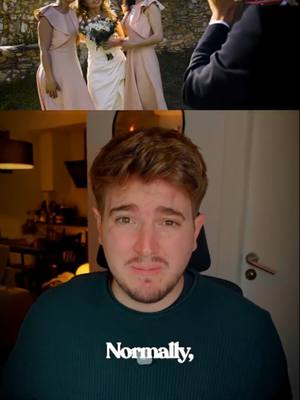
637
11
2
5h ago
wideframeapp
The worst hangover after shooting a wedding isn't from the open bar. It is waking up the next morning to 2TB of completely disorganized footage. Normally, syncing three cameras, drone flights, and separate audio files takes three full days of mindless work. You have to dig through shaky clips just to find the moments in focus. Do you really want to keep working like that? I stopped wasting my time and started using Wideframe. I just dropped the entire wedding folder into this AI program and gave it one simple prompt to sync the multicam, link the audio, and pull the most emotional moments. Within minutes, Wideframe: • Scanned over 15 hours of raw footage. • Synced the vows flawlessly. • Built a Premiere Pro timeline with the best smiles and tears already organized. This AI is not here to edit for you. It is here to take out the trash so you can jump straight into the creative part: crafting the story and moving the couple to tears. 💒 👇 Get your weekend back and try Wideframe for free: https://try.wideframe.com/ #WeddingVideography #VideoEditing #Wideframe #PremierePro #AITools #Filmmaking #VideoEditor #ContentCreator #WeddingEditor

322
6
0
3w ago
wideframeapp
Here are 4 WASTES of time everyone does in video editing and how to fix it Are you guilty of these 4 video editing time-wasters? 🕒 Let’s fix your workflow. Every editor wants to work faster, but most of us are stuck doing things the hard way. Here are the 4 biggest mistakes slowing you down and how to stop doing them: • Manual Transcript Editing: Sifting through pauses and cutting dead air by hand. • The "Perfect First Pass" Trap: Trying to perfect the cut on round one instead of just building a messy rough draft first. • Hunting for Assets: Wasting minutes searching for sound effects instead of pinning your favorite folders to the sidebar. • Ignoring Automation: The biggest mistake? Doing all of the above manually. This is Wideframe, the ultimate AI coworker for video editors. Stop doing the grunt work! With just one prompt, Wideframe can instantly organize your files, automatically cut out repeated words, and assemble your B-roll into a complete rough draft. 🚀 👇 Stop wasting time and try Wideframe for free here: https://try.wideframe.com/ #VideoEditing #EditingTips #Wideframe #PremierePro #AITools #Workflow #VideoEditor
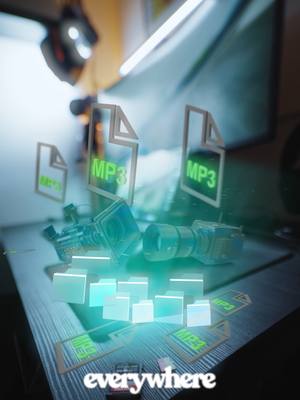
320
7
0
3w ago
wideframeapp
How to sort 1TB of footage in under a minute 🤯 Drowning in 1TB of messy footage with a tight client deadline? 🚨 Don't start your next edit until you read this. Staring at hundreds of unorganized files is a fast track to burnout. But spending hours manually sorting folders, pulling highlights, and building a base timeline is now completely optional. Meet Wideframe, your 24/7 AI editing assistant. Just drop your raw clips into the app, type a single prompt, and let the AI handle the grunt work in minutes: • Auto-Organization: Instantly sorts your chaotic SD card dumps into clean, logical bins. • Highlight Detection: Analyzes your footage to pull out the best moments automatically. • Ready-to-Edit Timelines: Builds a native Premiere Pro sequence with your clips already placed on the timeline. Stop scrubbing and get back to the creative work that actually matters, like shooting and storytelling. 🎥 👇 Let Wideframe do the heavy lifting for you. Try it here: https://try.wideframe.com/ #VideoEditing #Wideframe #PremierePro #Filmmaking #VideoProduction #AITools #VideoEditor
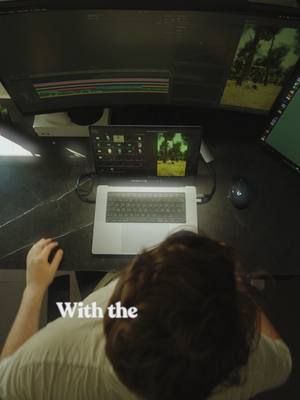
229
2
0
3w ago
wideframeapp
Is there anything worse than a massive folder of disorganized dailies when you have a client emergency and a tight deadline? 😩 We’ve all been there: a family emergency comes up, you have to leave your desk, and your client needs a rough cut by tomorrow morning. You could panic-text another editor to cover for you, OR you could use the ultimate AI assistant: Wideframe. Instead of stressing, I just dropped all my raw footage into Wideframe and typed a single prompt. While I was taking care of my emergency, the AI: -Sorted the footage into organized bins. -Identified the best moments. -Automatically built a logical first draft right in Premiere Pro. When I finally got back to my desk, I didn't have to face the terror of a blank timeline. My entire first cut was already waiting for me, perfectly organized and ready for my creative touch. 🚀 Stop stressing over tight deadlines. Let AI handle the heavy lifting! 👇 Try Wideframe for free and save your sanity: https://try.wideframe.com/ #VideoEditing #AITools #Wideframe #PremierePro #EditingWorkflow #Filmmaking #VideoEditor #TechTips
7
2
1
3w ago
wideframeapp
Video editors should never organize files If you are a video editor and you are still organizing your own files by hand... you are completely wasting your time. ⏰ For years, I dreaded the non-creative grunt work: dragging clips into folders, renaming files, sorting dailies, and pulling selects. But the industry is changing fast, and I finally found a tool that handles all of that for me. Meet Wideframe, an AI coworker that lives on your Mac and acts exactly like an Assistant Editor. Here is why it’s completely changed my workflow: • No More Manual Sorting: Just drag your raw footage into the app and let the AI organize everything into logical bins. • Smart Search & Indexing: Wideframe actually watches your footage. It doesn't just read transcripts; it understands the visuals, allowing you to search for specific moments (like "guy in cow suit holding aloha pillow") and find them instantly. • Instant Rough Cuts: I literally dictate what I want, like "pull the best voiceover takes and organize the b-roll to match," and Wideframe builds a complete, organized rough draft sequence directly inside Premiere Pro in minutes. 🤯 You get to skip the boring prep work and jump straight into the creative editing process. The future of video editing is here, and it's insane. 👇 Stop wasting hours on file management. Try Wideframe for yourself: https://try.wideframe.com/ #VideoEditing #AITools #Wideframe #PremierePro #EditingTips #VideoEditor #Workflow #ContentCreator #Filmmaking

5
1
0
3w ago
wideframeapp
This is a pro editor but how much does he know? 💵 My boss bet me $100 for every video editing question I could answer correctly. How many of these do you know? 🤔💸 From J-Cuts and B-Roll to LUTs and the 180-degree rule, there is a lot of terminology to keep track of as a video editor. But knowing the terms isn't what makes you a fast, efficient editor in 2026. The real secret to editing efficiently? Using an AI assistant editor like Wideframe. 🤖 While other editors are stuck doing manual grunt work, Wideframe acts as your ultimate AI coworker. It automatically organizes your messy folders, finds your best clips, transcribes audio, and builds your rough cuts right inside Premiere Pro, saving you hours of time on every single project. (And no, LUFS does not stand for Love Your French Baguettes 🥖😂) 👇 Want to be the most efficient editor in the room? Try Wideframe for free here: https://try.wideframe.com/ #VideoEditing #EditorQuiz #Filmmaking #PremierePro #Wideframe #AITools #VideoEditor #ContentCreator

5
1
0
3w ago
wideframeapp
I edited a video before finishing my coffee ☕️ (Here's how) What if you could finish the most boring part of video editing before you even finish your morning coffee? ☕️ Every editor knows the pain of an unorganized hard drive. Sorting through hundreds of clips from different cameras, marking highlights, and building out a base timeline takes hours of non-creative, mind-numbing work. It’s the worst part of the job. But what if you could automate it all in minutes? I use Wideframe, an AI coworker that handles the grunt work so I don't have to. I just dropped my raw footage into the program and gave it one simple prompt. While I sipped my coffee, Wideframe: • Sorted my footage into logical folders. • Identified and marked the best moments. • Transcribed the audio. • Built a ready-to-edit Premiere Pro sequence. This tool would have saved me years of my life if I had it sooner. Stop staring at your screen and start editing smarter! 🚀 👇 See how it works and try Wideframe for free here: https://try.wideframe.com/ #VideoEditing #AITools #Wideframe #PremierePro #EditingTips #VideoEditor #Workflow #ContentCreator

3
1
0
3w ago
wideframeapp
The hardest part of being a solo video editor 🎥 Have you ever shot a 6-hour event, remembered someone dropping the perfect joke, but had no idea where to find it in the footage? 😭 As a solo video editor, that feeling is pure dread. Manually scrubbing through an ocean of raw clips for hours completely kills your creative workflow and wastes your valuable time. Instead of playing detective, I use Wideframe. I just dropped all my raw event clips into the app and wrote a single prompt: "Transcribe all the footage and find the exact moment when someone said that joke." Within minutes, Wideframe: • Transcribed every single word from the entire shoot. • Pinpointed the exact timestamp of the joke. • Exported an XML sequence straight into my Premiere Pro timeline. What used to take hours of manual scrubbing was done instantly. You can finally skip the tedious search and get right back to the actual craft of editing! 🚀 👇 This isn't the future of editing, it's already here. Try Wideframe for free: https://try.wideframe.com/ #VideoEditing #Wideframe #PremierePro #SoloEditor #Filmmaking #AITools #VideoEditor #ContentCreator #Workflow
3
1
0
3w ago
wideframeapp
Do NOT Edit Another Video Until You Watch This If you are still organizing your video footage by hand, you are leaving thousands of dollars on the table every single year. 💸 Time is money. Every hour you spend digging through SD cards, sorting clips, and manually cutting is an hour you aren't getting paid to edit. But what if you could automate all of it? Enter Wideframe, the ultimate AI coworker for video editors. Just drop your messy footage into the program, give it a prompt, and watch it work magic: • Auto-Sorts: Organizes clips into logical bins in seconds. • Multi-Cam Syncing: Syncs up your multiple camera angles automatically. • Builds Rough Cuts: Turns raw clips into a complete "Draft 1" sequence right inside Premiere Pro. Stop wasting your time editing the old way. Let AI handle the boring stuff so you can focus on the creative work (and take on more clients!). 🚀 👇 Stop losing money and start your free Wideframe trial here: https://try.wideframe.com/ #videoediting #AITools #Wideframe #PremierePro #VideoEditor #EditingWorkflow #Filmmaking #tech

2
1
0
3w ago
wideframeapp
I Got 1 Billion Views on YouTube and Here's How I'd Do it Again.
2
1
0
3w ago
wideframeapp
I tested every AI video editor so you don’t have to 🤖 I tested the most popular AI tools on the market so you don't have to. Here's what I found: • CapCut: Great for beginners and quick social posts, but you hit a creative wall fast, and every video ends up looking the same. • Descript: Awesome for talking-head videos and podcasts (editing by transcript is a game-changer!), but it’s not built for complex, multi-cam creative edits. • OpusClip: A solid clipping tool, but it’s not a true editor. • Premiere Pro: The industry standard, but it’s still manual, clunky, and time-consuming, even with its new AI features. The Winner? Wideframe. If you want the creative control of Premiere Pro but the speed of AI, you need Wideframe. It's not a basic auto-editor; it's an AI coworker that lives on your Mac. It auto-sorts your messy footage, builds your rough cuts, and finds missing shots instantly, saving you hours of grunt work so you can focus on the creative edit. 🚀 👇 Don't settle for basic AI. Try Wideframe for free here: https://try.wideframe.com/ #AIVideoEditing #VideoEditor #CapCut #Descript #PremierePro #Wideframe #AITools #Filmmaking #EditingTips
2
1
0
3w ago
wideframeapp
What video editing apps are the worst in real life? What is the worst video editing app in 2026? I tested them all so you don't have to. 📱 Phone editing apps are everywhere, but here is the brutal truth: • Instagram: Fluid and fast, but super limited. • CapCut: Packed with features, but most of them look cheap and overused. • iMovie: Great if you are making a generic photo slideshow for your mom. 😂 • Premiere Pro (Mobile): Good for syncing to your desktop, which is where the real magic happens. If you want to edit real videos like a pro, you need to step off your phone and get on a Mac. But you don't have to do it alone. My absolute favorite editing tool is Wideframe, an AI coworker that lives on your Mac and works directly with Premiere Pro. While other apps just give you cheesy filters, Wideframe actually automates the hardest parts of editing: organizing your massive folders, finding the perfect clips, and building your first rough cut automatically. 🚀 👇 Stop struggling with clunky phone apps and edit smarter. Try Wideframe for free: https://try.wideframe.com/ #VideoEditing #EditingApps #CapCut #iMovie #PremierePro #Wideframe #ContentCreator #Filmmaking #VideoEditor
1
1
0
3w ago
wideframeapp
Still sorting footage by hand? You’re wasting days of your life. 🤯 Turning a massive, chaotic hard drive of raw wedding clips into an organized rough draft used to take 3 full days of mind-numbing work. Now? It takes about 30 seconds. Meet Wideframe, the software that automates the worst parts of video editing. Just drop your clips into the program, type a quick prompt, and let us do the heavy lifting: • Auto-Sorting: Instantly categorizes and organizes your footage into clean, searchable folders. • Instant Rough Cuts: Automatically builds a v1 Premiere Pro project sequence so you can hit the ground running. • Creative Freedom: Skip the busywork and jump straight into the fun part adding your finishing touches and music! Welcome to the new age of video editing. 👇 Try Wideframe for yourself here: https://try.wideframe.com/ #VideoEditing #Wideframe #PremierePro #WeddingVideography #AITools #Filmmaking #VideoEditor #Tech
0
0
0
3w ago
wideframeapp
Can You Find This Clip Faster Than AI? ($100 Bet) I bet my friend $100 he couldn't find a specific video clip in a messy folder faster than an AI. Spoiler alert: he lost. 😂 We’ve all been there, hunting for one specific shot across gigabytes of unorganized footage. If you are still relying on scrolling through thumbnails, guessing bad file names, or using basic search tools that don't actually scan your video files, you are wasting hours of your life. Wideframe changes the game by actually watching and analyzing your footage. • Visual Search: Type in exactly what you're looking for (like "guy in a cow suit holding an aloha pillow") and let the AI find it. • Pinpoint Accuracy: It delivers the exact clip and timestamp in seconds. • No More Manual Scrubbing: Skip the frustration and jump right into the creative edit. Stop losing time (and $100 bets). Welcome to the future of file management! 👇 Try Wideframe for yourself here: https://try.wideframe.com/ #VideoEditing #AITools #Wideframe #PremierePro #VideoEditor #TechBet #Filmmaking #EditingWorkflow
wideframeai (@wideframeapp) Tiktok Stats & Analytics
wideframeai (@wideframeapp) has 7.00 Tiktok followers with a 1.86% engagement rate over the past 12 months. Across 19.0 videos, wideframeai received 97.0 total likes and 5.54K views, averaging 5.11 likes per video. This page tracks wideframeai's performance metrics, top content, and engagement trends — updated daily.
wideframeai (@wideframeapp) Tiktok Analytics FAQ
How many TikTok followers does wideframeai have?+
wideframeai (@wideframeapp) has 7.00 TikTok followers as of April 2026.
What is wideframeai's TikTok engagement rate?+
wideframeai's TikTok engagement rate is 1.86% over the last 12 months, based on 19.0 videos.
How many likes does wideframeai get on TikTok?+
wideframeai received 97.0 total likes across 19.0 videos in the last 12 months, averaging 5.11 likes per video.
How many TikTok views does wideframeai get?+
wideframeai's TikTok content generated 5.54K total views over the last 12 months.